Kimi has two API consoles, and nobody mentions it until it has already cost you. One bills per token with no cap, the other rides the subscription you already paid for, and both hand you a key that looks the same and goes in the same environment variable. You find out at the end of the month. What follows is the full setup, the three ways to run Kimi next to the way you already run Claude Code, and where each one breaks.
01Three ways to run Kimi
There are three. Point Claude Code at Kimi, install Moonshot's own Kimi Code CLI, or run a desktop chat client with MCP. All three read and write files in a local folder.
Kimi is the model family from Moonshot AI, a Beijing lab that publishes open weights. K2.7 Code is a 1 trillion parameter mixture-of-experts model with a 256K context. K3, released on 26 July 2026, goes to 2.8 trillion parameters and 1M context under a modified MIT licence.
None of that decides anything for a working team. What decides it is whether the thing plugs into the setup you already have, and it does, in three shapes.
| Route | What you keep | Setup time | Best for |
|---|---|---|---|
| Claude Code on Kimi | Everything. Files, MCP servers, skills, hooks, CLAUDE.md | 2 min | Testing the model without touching your setup |
| Kimi Code CLI | Nothing, you rebuild it. But the shapes map one to one | 30 min | Running Kimi as the daily driver |
| Desktop chat client | Chat history, MCP servers, folder access via filesystem MCP | 15 min | Non-developers who want a window, not a terminal |
02What the plans cost
Five tiers, from free to $199 a month. Moderato at $19 is the entry paid plan. Allegretto at $39 is where the limits stop getting in the way.
Moonshot names the tiers after tempo markings. Annual billing takes up to $480 a year off.
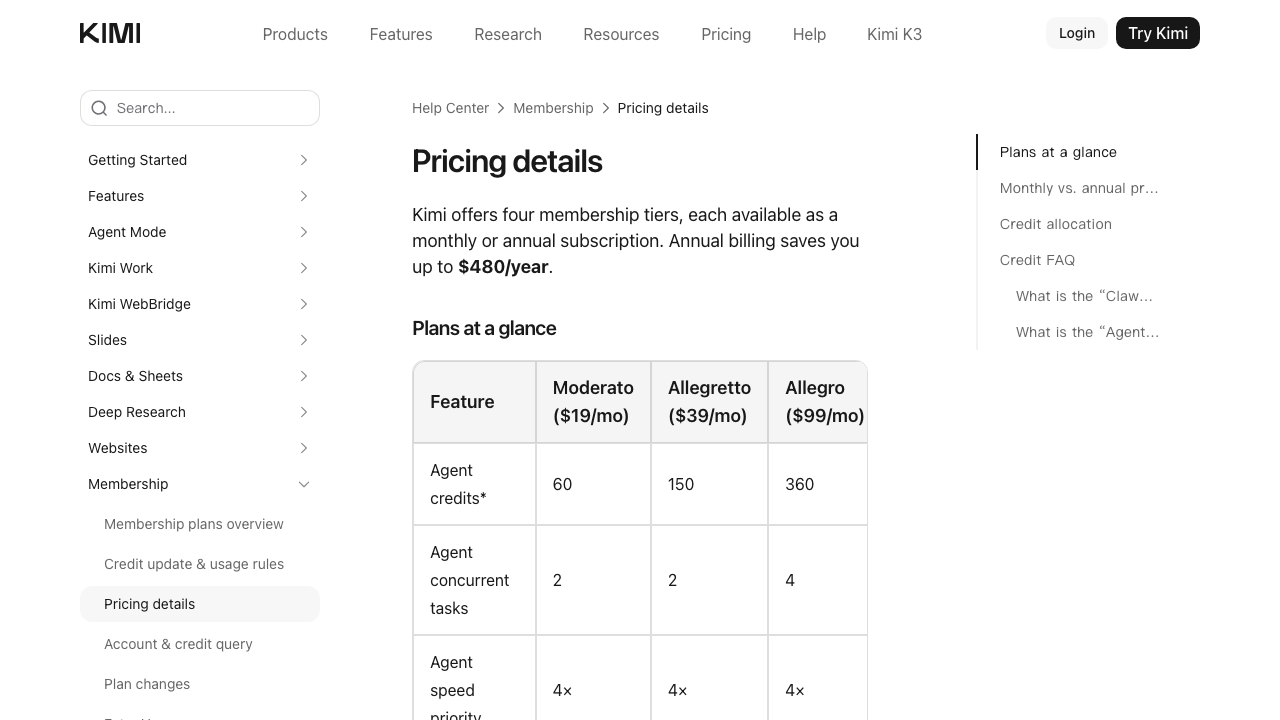
| Plan | Price | Kimi Code allowance | Models |
|---|---|---|---|
| Adagio | Free | None | Chat only |
| Moderato | $19 / mo | 1x | k3, k3-256k, kimi-for-coding |
| Allegretto | $39 / mo | 5x | Adds highspeed, K3 up to 1M context |
| Allegro | $99 / mo | 15x | Same as Allegretto |
| Vivace | $199 / mo | 30x | Same as Allegretto |
The price ladder maps almost exactly onto Anthropic's. Moderato at $19 sits next to Claude Pro at $20, Vivace at $199 sits next to Claude Max at $200. The shape underneath is different, though. Anthropic gates you on volume and gives every tier the same features. Kimi gates you on capability, so the cheap tiers lock you out of the high-speed models and the 1M context window.
Three limits run at the same time, and hitting any one of them pauses you:
- A monthly credit pool shared with the rest of the Kimi product, so heavy chat use eats into your coding budget
- A weekly Kimi Code allowance that refreshes every 7 days from your subscription date
- A rolling 5 hour rate window
Unused weekly allowance does not roll over. That is stricter than what most teams are used to, and it is the main reason Moderato runs dry on long sessions.
What a Moderato plan costs. Enough to prove the model on real work before you commit to tooling or a bigger tier.
03Point Claude Code at Kimi
Six environment variables. Your files, MCP servers, skills and CLAUDE.md keep working because they are client-side. Only the model endpoint moves.
Claude Code speaks the Anthropic Messages API. Moonshot exposes a matching endpoint, which means you redirect the model traffic and change nothing else. First, get a key from the right place.
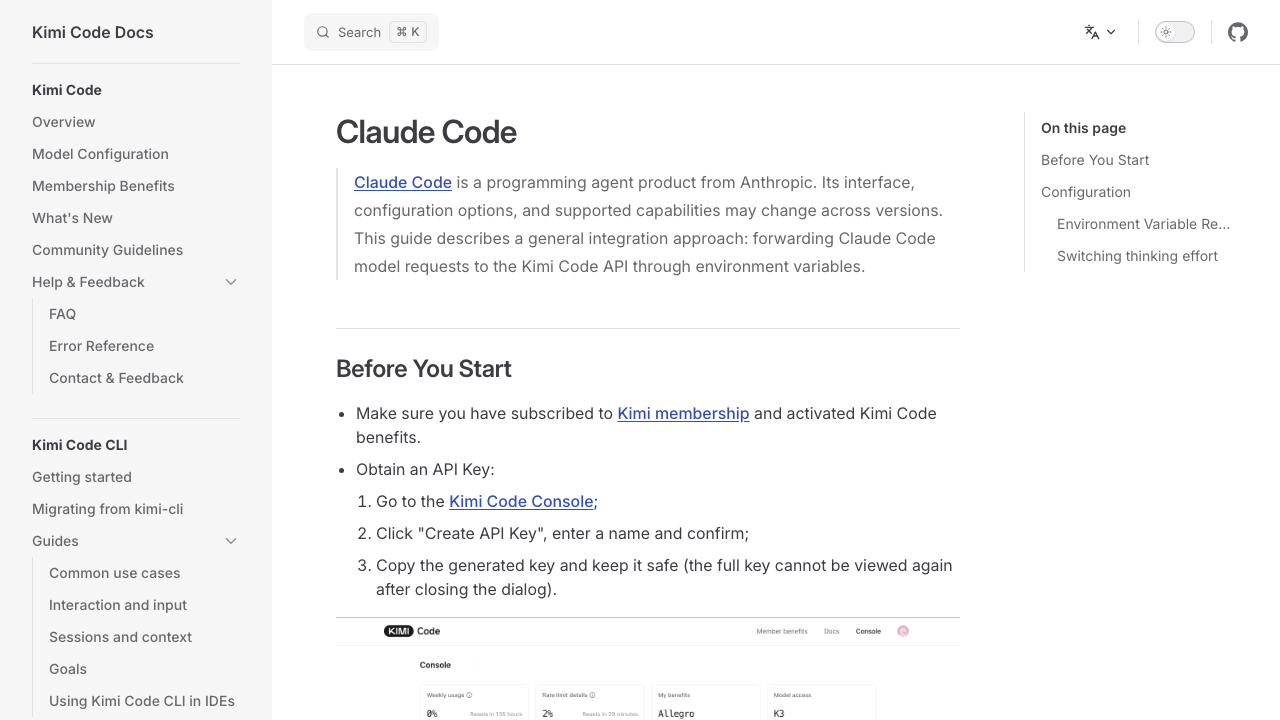
Then export the variables. Put them in a shell function rather than your .zshrc so you can switch back to Claude in one command.
The model names depend on your tier. Moderato gets k3, k3-256k and kimi-for-coding. Allegretto and above add kimi-for-coding-highspeed. A few Claude Code variables carry over as well, which is a good sign for how seriously Moonshot treats this path.
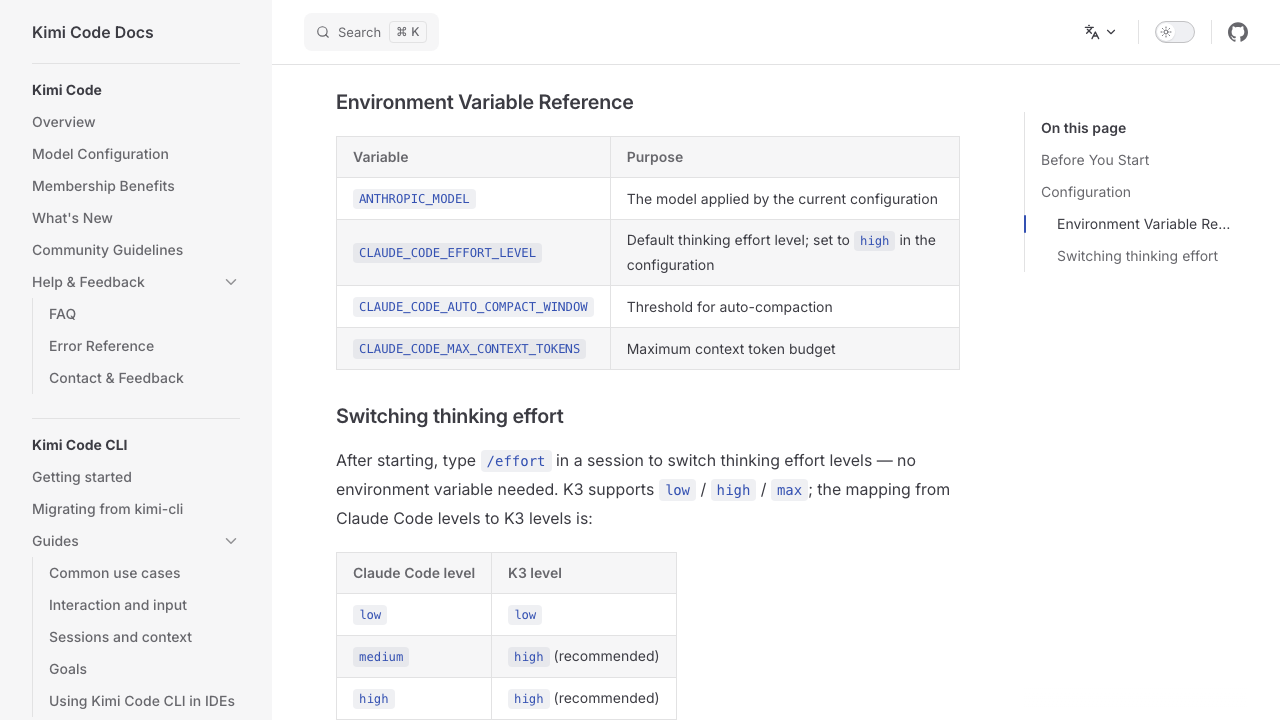
Two things break in practice. Web fetch errors out, and image handling is unreliable depending on the endpoint. If your workflow leans on screenshots the way ours does, test that first before you plan around it.
04Two consoles, two bills
Keys from the Kimi API platform bill per token with no cap. Keys from the Kimi Code Console ride your monthly plan. This is the mistake that costs money.
Both are called an API key, both look identical, and both go into the same ANTHROPIC_API_KEY variable. Only one of them is covered by the subscription you are paying for.
| Key source | Base URL | How you are billed |
|---|---|---|
| Kimi Code Console | https://api.kimi.com/coding/ |
Flat fee. Counts against your plan |
| Kimi API platform | https://api.moonshot.ai/anthropic |
Per token. $0.95 in, $4.00 out per million |
Before you start, clear any stale ANTHROPIC_BASE_URL or ANTHROPIC_AUTH_TOKEN exports left in your shell config from a previous experiment. They silently win over the new ones, and you end up debugging a model that was never being called.
The per-token route is not expensive either, for what it is worth. K2.7 Code runs $0.95 per million input tokens against $5.00 for Claude Opus 4.8. The flat fee is about predictability more than unit price.
05Kimi Code CLI, MCP and folders
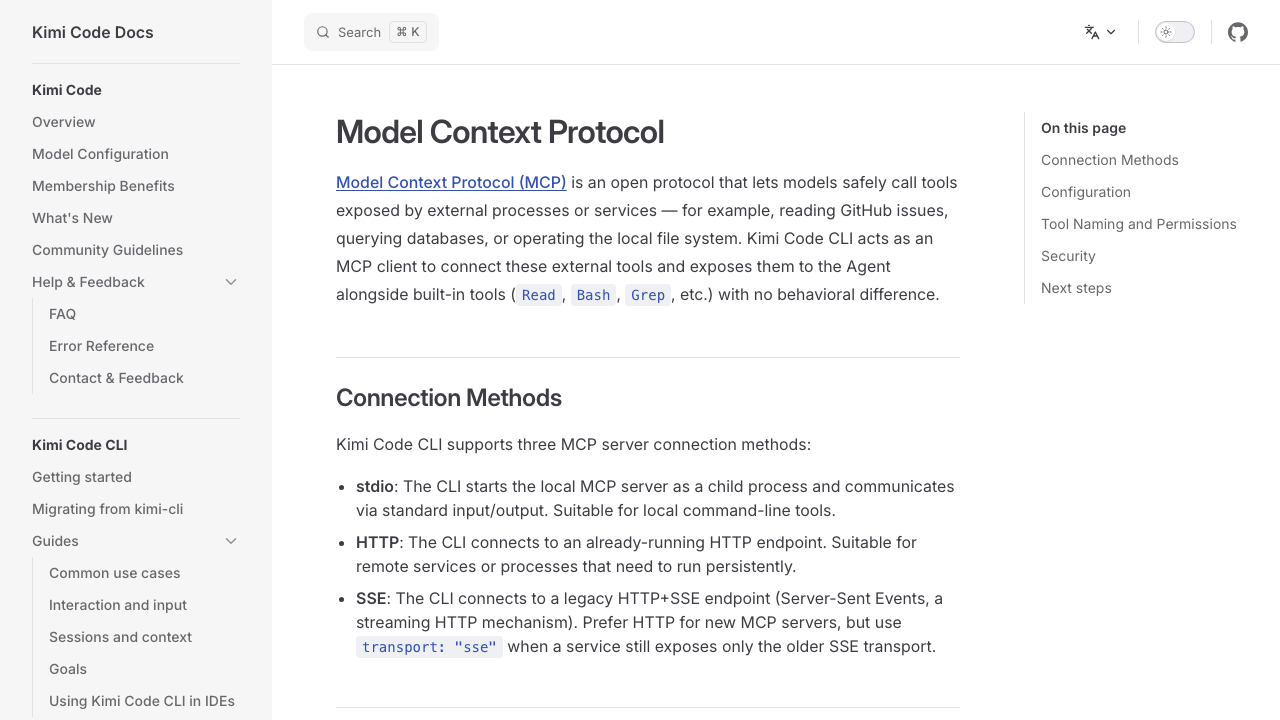
Moonshot ships its own terminal agent. It reads and edits files inside a workspace, runs shell commands behind an approval prompt, and speaks MCP over stdio, HTTP and SSE.
This is the closer equivalent of Claude Code, built by the people who built the model. One install line.
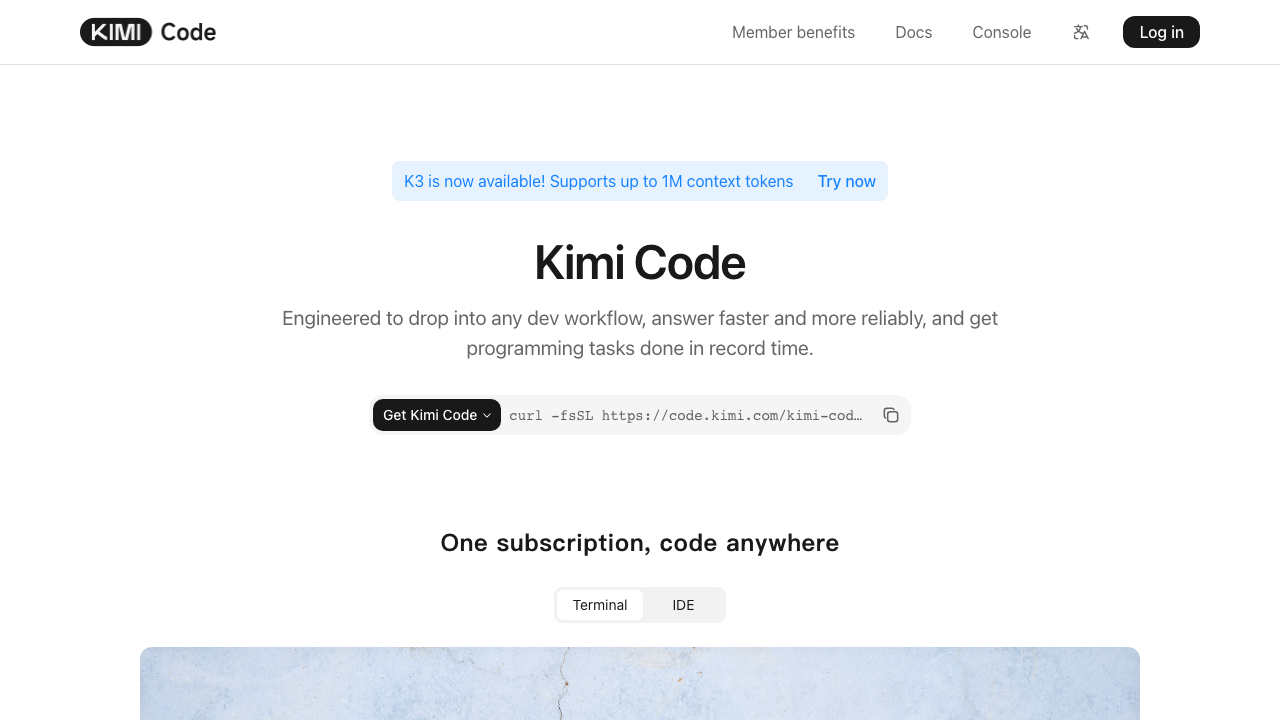
Watch the naming. The older kimi-cli is being wound down and replaced by Kimi Code CLI. Config paths differ between them, ~/.kimi/ for the old one against ~/.kimi-code/ for the new one. Install the new one and let it migrate your sessions.
Wiring MCP servers
The config file has the same shape you already know. User level lives at ~/.kimi-code/mcp.json, project level at .kimi-code/mcp.json, and the project entry wins.
You can also run /mcp-config inside the terminal UI to add, edit and delete servers without opening the file.
Feature parity
| Feature | Claude Code | Kimi Code CLI |
|---|---|---|
| Terminal agent | Yes | Yes |
| Local folder read and write | Yes | Yes, scoped to a workspace |
| Shell commands with approval | Yes | Yes |
| MCP servers | Yes | stdio, HTTP, SSE |
| Subagents | Yes | coder, explore, plan |
| Skills | Yes | Yes, in .agents/skills |
| Project memory file | CLAUDE.md | AGENTS.md |
| IDE integration | VS Code, JetBrains | VS Code, Cursor, Zed |
| Browser UI | No | Yes, kimi web |
06Kimi in a chat window
Cherry Studio accepts a custom Anthropic-type provider and ships MCP support including filesystem access, so you get chat plus local folders in a desktop app.
Not everyone on a team wants a terminal. Cherry Studio is an open-source desktop client for Mac, Windows and Linux that stores everything locally and never routes your data through its own servers. Settings, Model Service, Add, then pick the Anthropic API type.
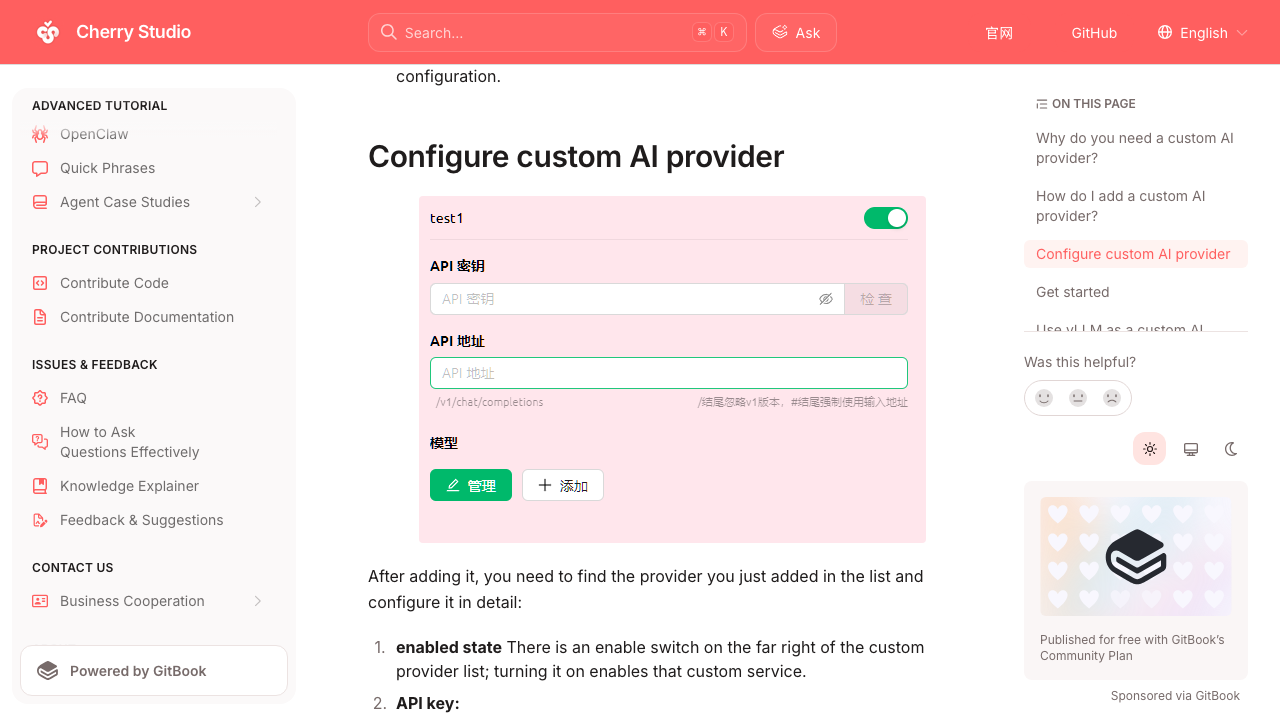
Local folder access comes from the MCP filesystem server, the same mechanism Claude Desktop uses. Cherry Studio ships filesystem, GitHub, web search and memory servers pre-wired, and takes your own on top.
Worth knowing before you build on it: the api.kimi.com/coding/ endpoint is built for coding agents, and Moonshot does not document this path for chat clients. It works, but it is unsupported. The documented route for a chat UI is the standard OpenAI-compatible endpoint, which bills per token. If you want a supported flat fee in a chat window, use kimi web from the CLI instead.
If you would rather self-host for a whole team, LibreChat is the equivalent with multi-user auth. It is heavier to run, wanting Docker and Mongo.
07What we would actually do
Start at $19 with Claude Code pointed at Kimi. Prove the model on real work before paying for tooling or a bigger tier.
Four steps, in order:
- Today, 5 minutes. Buy Moderato, create a key in the Kimi Code Console, export the variables, run a throwaway task. Zero setup cost, and you are on a flat fee from minute one so there is no runaway bill while you experiment.
- This week, if that goes well. Install Kimi Code CLI properly, point it at one small repo, port two or three MCP servers into
.kimi-code/mcp.json, run a real task end to end. - If it becomes the daily driver. Move to Allegretto at $39. That is where you get the high-speed model and the 1M context window, and where the 1x allowance stops being the bottleneck.
- Only under a data-residency requirement. Look at self-hosting. K2.7 Code needs roughly 500 to 630 GB of VRAM at INT4, so around 8 H200-class GPUs. That is real money for a worse experience than an API call.
Be careful with the benchmark claims while you evaluate. Kimi K2.7 Code's published numbers are Moonshot's own internal benchmarks from launch. There are no independent third-party SWE-bench Verified or Terminal-Bench results for it yet, while Claude Opus 4.8 has verified public scores. The model is clearly good. Whether it holds up over long autonomous runs with thirty MCP tools loaded is a different question, and the only way to answer it is on your own work.
A cheap second engine you have tested beats an expensive one you assumed.
That is the whole point of running the $19 experiment before the $199 one. The same logic drives how we structure a sprint: prove the smallest thing that could work, then spend.
08Useful links
Everything cited above, in one place.
Official Moonshot docs
- Kimi Code, product page and install command
- Claude Code integration, the official env var reference
- MCP configuration, transports and config paths
- Providers and models, including OpenAI-compatible and self-hosted endpoints
- Pricing details, the tier table
- Kimi Code CLI on GitHub
Chat clients
- Cherry Studio, desktop client with MCP
- Cherry Studio custom provider setup
- LibreChat with Moonshot, self-hosted multi-user
Self-hosting and benchmarks
- Self-hosting K2.7 Code with vLLM and SGLang
- Kimi K2.7 against Claude Opus 4.8, benchmark caveats included
- Moonshot AI on Hugging Face, open weights
Wedge field notes